Dental CAD/CAM: Digital Workflow, Equipment, Applications and Buying Guide
Dental CAD/CAM has changed the way dental clinics and laboratories plan, design and manufacture restorations. Instead of relying entirely on conventional impressions, manual model preparation and laboratory fabrication, a digital workflow can connect scanning, computer-aided design and computer-aided manufacturing into a more streamlined process.
For a dental laboratory, CAD/CAM may involve a lab scanner, CAD software, milling machine, sintering furnace and related equipment. In a clinical setting, an intraoral scanner can capture digital impressions and transfer the data into a compatible digital workflow. Depending on the application, digital files can then be designed and manufactured through milling or 3D printing.
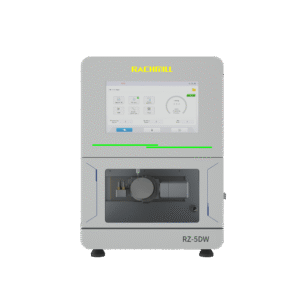
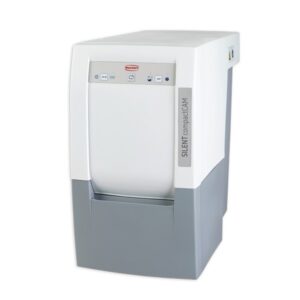
AGKEM offers a range of CAD/CAM equipment for dental laboratories and digital dentistry workflows, including 5-axis and 4-axis milling machines, intraoral and laboratory scanners, sintering furnaces, dental 3D printers and related equipment. The current CAD/CAM range includes systems such as the AGKEM PRO V5 intraoral scanner, D5 Wet & Dry Milling Machine, 5 Axis Wet & Dry Milling Machine RZ-5DW, X-MILL 500 PLUS, X-MILL 600, DGSHAPE milling systems, laboratory scanners and dental 3D printers.
What Is Dental CAD/CAM?
Dental CAD/CAM refers to the use of computer-aided design and computer-aided manufacturing in dentistry.
CAD is used to digitally design restorations, appliances or dental models. CAM is used to manufacture the designed object using equipment such as a milling machine or 3D printer.
A typical digital workflow may look like this:
Scanning → Digital Design → CAM Processing → Milling or 3D Printing → Finishing
The exact workflow depends on the restoration, material, equipment and whether the work is being completed in a dental clinic, laboratory or through a combination of both.
What Equipment Is Used in a Dental CAD/CAM Workflow?
A complete CAD/CAM setup does not necessarily mean purchasing every type of machine. The equipment required depends on the type of work a clinic or laboratory wants to bring in-house.
Intraoral Scanners
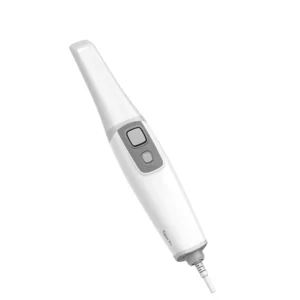
An intraoral scanner captures digital information directly from the patient’s mouth and can be used to create digital impressions. AGKEM’s PRO V5 is an open-system intraoral scanner designed for digital scanning workflows and supports multi-angle image capture.
An intraoral scanner can be useful when a practice wants to reduce dependence on conventional impression materials and integrate digital records into restorative, prosthodontic or laboratory workflows.
Dental Lab Scanners
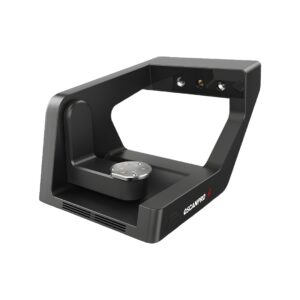
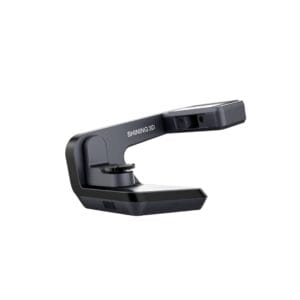
Laboratory scanners are designed for scanning physical models, impressions and other dental objects for digital design and manufacturing.
AGKEM’s CAD/CAM range includes Shining 3D laboratory scanning systems, including the AutoScan-DS-EX Pro series. The AutoScan-DS-EX Pro (H), for example, is designed for applications involving models, impressions, articulators and implant abutments.
Dental Milling Machines
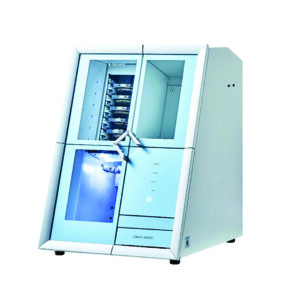
A dental milling machine converts a digital design into a physical restoration or component by removing material from a block or disc.
Milling systems differ in the number of axes, milling method, spindle configuration, tool capacity, compatible materials and applications.
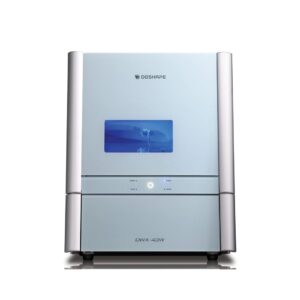
AGKEM’s CAD/CAM portfolio includes both dry and wet milling systems. Its range includes 5-axis machines such as the D5, RZ-5DW, X-MILL 500 PLUS and X-MILL 600, along with DGSHAPE milling systems.
Sintering Furnaces
When zirconia is milled in a pre-sintered state, a sintering furnace is used as part of the finishing process. The furnace heats the material according to a controlled cycle so that the restoration reaches its required final properties.
AGKEM’s CAD/CAM category currently includes sintering systems such as the F2 Fast Sintering Furnace and Champion ZTCF-30B.
Dental 3D Printers
3D printing is another manufacturing method within digital dentistry. Instead of removing material through milling, a 3D printer builds an object layer by layer.
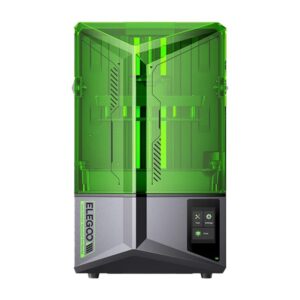
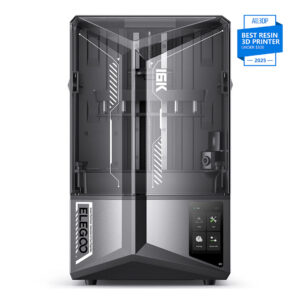
AGKEM’s CAD/CAM range includes dental 3D printing options such as the Elegoo Saturn series. The Saturn 4, for example, uses a 12K monochrome LCD and is listed within AGKEM’s CAD/CAM and dental 3D printer categories.
What Can Dental CAD/CAM Be Used For?
The applications depend on the equipment, software and materials available in the workflow.
Digital CAD/CAM systems can support the production of:
- Crowns
- Bridges
- Veneers
- Inlays and onlays
- Implant restorations
- Custom abutments
- Splints and retainers
- Dentures and digital denture components
- Implant bars
- Temporary restorations
- Dental models
- Selected orthodontic and laboratory appliances
For example, AGKEM’s X-MILL 500 PLUS is designed for applications including crowns and bridges, inlays and onlays, veneers, customised abutments, splints and retainers, removable dentures, implant bars and Malo bridges.
What Materials Can Be Used With Dental CAD/CAM?
Material compatibility is one of the most important factors when choosing CAD/CAM equipment.
Depending on the machine, dental milling systems may support materials such as:
- Zirconia
- PMMA
- Wax
- Glass ceramics
- Composite materials
- Titanium
- Cobalt-chromium and other metal materials
- PEEK and PEKK
- Other specialised dental CAD/CAM materials
Not every machine supports every material. For example, the X-MILL 500 PLUS is listed for zirconia, wax, PMMA and soft metal, while the X-MILL 600 is designed for materials including CoCr/NEM, titanium, PMMA, wax, glass ceramics and hybrid ceramics.
This is why material compatibility should be checked before selecting a milling machine rather than choosing a machine based only on its axis count or advertised speed.
4-Axis vs 5-Axis Dental Milling Machines
The number of axes affects how a milling machine approaches the restoration during manufacturing.
A 4-axis machine provides movement across the primary linear axes with an additional rotational axis. A 5-axis machine adds another axis of movement, allowing the cutting tool to approach more complex geometries from additional directions.
For laboratories producing complex restorations, implant-related components or cases with challenging geometries, 5-axis milling can provide greater flexibility.
However, 5-axis does not automatically mean that every laboratory needs a particular machine. The right choice depends on case volume, materials, restoration types, software compatibility, available space, operator experience and production requirements.
Dry Milling vs Wet Milling
Dental milling can be broadly divided into dry and wet processes.
Dry milling is commonly used for materials that can be processed without coolant, depending on the machine and manufacturer’s specifications.
Wet milling uses a liquid during the milling process and is commonly associated with materials where controlled cooling is required.
Some machines support both methods. AGKEM’s D5 and RZ-5DW, for example, are listed as wet and dry milling systems, while the X-MILL 500 PLUS is a dry milling machine and the X-MILL 600 is a wet milling machine.
How to Choose Dental CAD/CAM Equipment
There is no single CAD/CAM configuration that suits every dental laboratory or clinic. Before purchasing equipment, consider the complete workflow rather than looking at one specification in isolation.
1. Define the Work You Want to Produce
Start with the restorations and applications you handle most frequently. A laboratory focused mainly on zirconia crowns may have different requirements from one producing implant bars, metal frameworks, removable appliances or multiple material types.
2. Check Material Compatibility
Make a list of the materials you currently use and those you expect to introduce. Then compare that list with the manufacturer’s supported materials.
3. Consider Production Volume
A small laboratory may prioritise a compact system and manageable operating costs, while a high-volume laboratory may place greater importance on tool capacity, automation, production speed and machine uptime.
4. Look at the Complete Workflow
A milling machine is only one part of a CAD/CAM workflow. Consider the scanner, CAD software, CAM software, extraction or dust management, compressor requirements, sintering equipment and finishing processes that may be needed.
5. Check Open-System Compatibility
An open digital workflow can provide greater flexibility when working with different scanners, software platforms and manufacturing systems. AGKEM’s PRO V5 intraoral scanner, for example, is listed as an open-system scanner.
6. Consider Installation and Support
Equipment selection should also include installation requirements, training, maintenance, consumables, technical support and availability of replacement components.
How Much Does Dental CAD/CAM Equipment Cost in India?
There is no single price for a dental CAD/CAM system because the investment depends on the equipment and workflow being built.
An intraoral scanner, laboratory scanner, milling machine, sintering furnace and 3D printer all occupy different price ranges. Milling machine prices can also vary significantly depending on the number of axes, wet or dry operation, spindle specifications, automation, tool capacity, supported materials and other features.
For this reason, laboratories should compare the total setup rather than looking only at the purchase price of an individual machine.
If you are evaluating CAD/CAM equipment for a dental laboratory or clinic in India, AGKEM’s team can help identify equipment based on your intended applications, materials, production requirements and existing digital workflow.
Why Consider AGKEM for Dental CAD/CAM Equipment?
AGKEM brings together equipment for different stages of the digital dental workflow rather than focusing on a single type of machine.
Its CAD/CAM portfolio currently covers milling machines, intraoral scanners, laboratory scanners, sintering furnaces, dental 3D printers and related equipment. This allows clinics and laboratories to evaluate individual machines as well as broader digital production workflows.
The appropriate setup will depend on what you manufacture, which materials you use, your production volume and how much of the workflow you want to keep in-house.