
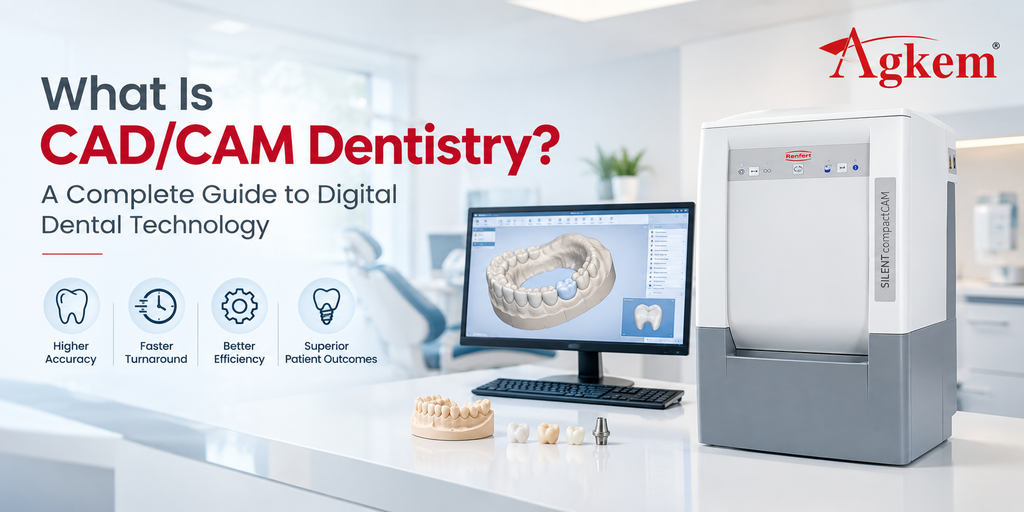
CAD/CAM dentistry has changed how dental restorations are designed, manufactured and delivered.
Instead of relying entirely on physical impressions, manual modelling and conventional laboratory processes, dental practices and laboratories can use digital scans, design software and computer-controlled manufacturing equipment to create restorations.
CAD/CAM stands for Computer-Aided Design and Computer-Aided Manufacturing.
In a typical digital workflow, a patient’s teeth are captured using a scanner, the restoration is designed digitally, and the approved design is then manufactured using a milling machine or, in some workflows, a 3D printer.
For a dental practice or laboratory, CAD/CAM is not one piece of equipment. It is a connected workflow involving scanning, software, manufacturing and finishing.
AGKEM’s current CAD/CAM range includes intraoral scanners, laboratory scanners, 5-axis milling machines, sintering furnaces, 3D printers and other laboratory equipment that can form different parts of this digital workflow.
What Is CAD/CAM Dentistry?
CAD/CAM dentistry is the use of digital technologies to design and manufacture dental restorations and other dental components.
The process generally has three core stages:
Digital capture → Computer-aided design → Computer-aided manufacturing
A digital impression or laboratory scan provides the starting data. CAD software is then used to design the restoration, after which CAM technology converts that design into a physical product.
Depending on the case and equipment, manufacturing may involve subtractive milling or additive 3D printing.
CAD/CAM workflows can be used for a wide range of dental applications, including crowns, bridges, veneers, inlays, onlays, implant restorations, dentures and other digitally designed components.
What Does CAD Stand For in Dentistry?
CAD stands for Computer-Aided Design.
In dentistry, CAD software allows a dentist or dental technician to create and modify a digital restoration before it is manufactured.
Instead of shaping a restoration entirely by hand, the operator works with a digital model.
Depending on the software and case, parameters such as tooth anatomy, contours, contacts, margins and occlusion can be evaluated during the design process.
This digital design becomes the manufacturing reference for the next stage of the workflow.
What Does CAM Stand For in Dentistry?
CAM stands for Computer-Aided Manufacturing.
Once the digital restoration has been designed, CAM software prepares the manufacturing instructions.
For a milling workflow, this involves generating tool paths that tell the milling machine how to remove material from a disc or block.
For an additive workflow, the manufacturing process may involve a compatible 3D printer building the component layer by layer.
The important distinction is simple:
CAD creates the digital design. CAM turns that design into manufacturing instructions.
How Does CAD/CAM Dentistry Work?
Although workflows vary between practices and laboratories, a typical CAD/CAM case follows several stages.
1. Digital Scanning
The process starts by capturing the required dental information.
An intraoral scanner can capture the patient’s teeth and surrounding oral structures and convert the information into a digital 3D model.
For laboratory workflows, a lab scanner can digitise a physical model or other compatible dental object.
AGKEM’s current portfolio includes the AGKEM PRO V5 Intraoral Scanner as well as Shining 3D laboratory scanners.
The AGKEM PRO V5 is an open-system scanner with multi-angle image capture and digital output capabilities.
2. Digital Model Preparation
The captured data is processed into a usable digital model.
The dentist or technician can review the scan and determine whether the required areas have been captured correctly before moving to the design stage.
This is one of the practical differences between a digital and conventional workflow. The digital model can be reviewed on screen before the restoration is manufactured.
3. CAD Design
The digital model is imported into compatible CAD software.
The restoration is then designed according to the requirements of the case.
Depending on the application, the design process can involve:
- Defining preparation margins
- Creating restoration contours
- Adjusting contacts
- Evaluating occlusion
- Setting restoration thickness
- Designing pontics
- Creating implant components
- Preparing other prosthetic designs
The final design is then prepared for manufacturing.
4. CAM Processing
The approved design is transferred to CAM software.
The CAM stage determines how the physical restoration will be manufactured. For milling, the software calculates the tool paths and machining strategy.
The CAM output must be compatible with the selected milling machine, tooling and material.
5. Milling or 3D Printing
The digital design is converted into a physical component.
In a milling workflow, a machine removes material from a prefabricated disc or block.
In an additive workflow, a 3D printer builds the object layer by layer.
AGKEM’s CAD/CAM range includes both milling equipment and 3D printers, allowing laboratories to consider different manufacturing approaches based on their applications and materials.
6. Sintering or Other Post-Processing
Some materials require additional processing after milling or printing.
For example, zirconia restorations commonly require sintering after milling from a pre-sintered blank.
AGKEM currently lists dental sintering furnaces such as the CHAMPION ZTCF-30B and F2 Fast Sintering Furnace within its CAD/CAM category.
Depending on the material and restoration, additional steps may include staining, glazing, polishing or other finishing processes.
7. Quality Check and Delivery
The completed restoration is inspected before it is delivered or placed.
The final check can include fit, margins, contacts, occlusion, surface finish and other case-specific requirements.
The digital workflow does not eliminate the need for professional judgement. It changes where many of the design and manufacturing decisions are made.
What Equipment Is Needed for a CAD/CAM Dental Workflow?
A complete CAD/CAM setup can include several different pieces of equipment.
1. Intraoral Scanner
An intraoral scanner captures digital information directly from the patient’s mouth.
It can replace conventional impression-taking in suitable workflows and provide digital files for compatible CAD/CAM processes.
AGKEM’s PRO V5 is positioned as an open-system intraoral scanner and supports digital output formats including STL, PLY and OBJ according to its published product information.
2. Laboratory Scanner
A laboratory scanner is used when a physical model, impression or other laboratory object needs to be digitised.
AGKEM’s CAD/CAM category includes Shining 3D AutoScan-DS-EX Pro systems.
The AutoScan-DS-EX Pro page highlights model scanning, articulator scanning and scanning-speed improvements.
3. CAD Software
CAD software is where the digital restoration is designed.
The software should be compatible with the scanner data, intended applications and downstream CAM workflow.
4. CAM Software
CAM software converts the digital design into manufacturing instructions.
Compatibility between CAD, CAM and the milling or printing equipment is an important consideration when building a digital laboratory.
5. Dental Milling Machine
A milling machine uses subtractive manufacturing to produce restorations from compatible blocks or discs.
AGKEM currently offers several 5-axis systems, including the D5 Wet & Dry Milling Machine, X-MILL 500 PLUS, X-MILL 600 and 5DW Wet & Dry Milling Machine, along with multiple DGSHAPE systems.
6. 3D Printer
3D printing provides an additive manufacturing option for selected dental applications.
AGKEM’s CAD/CAM range includes Elegoo resin 3D printers, while its dental laboratory portfolio also includes metal 3D printing solutions.
7. Sintering Furnace
Some milled or printed materials require thermal processing.
A sintering furnace is particularly relevant to laboratories producing zirconia restorations using a workflow that involves pre-sintered zirconia blanks.
What Dental Restorations Can Be Made Using CAD/CAM?
CAD/CAM technology can be used across a broad range of dental applications.
Depending on the equipment, material and software, digital workflows can support:
- Crowns
- Bridges
- Veneers
- Inlays
- Onlays
- Implant restorations
- Custom abutments
- Dentures
- Splints
- Retainers
- Surgical guides
- Temporary restorations
Not every CAD/CAM system supports every application.
For example, the materials that can be milled, printed or sintered depend on the specifications of the equipment being used. This is why the complete workflow needs to be evaluated rather than selecting a machine based only on its headline capabilities.
What Are the Benefits of CAD/CAM Dentistry?
1. Digital Data Can Be Shared More Easily
A digital scan can be transferred electronically to a compatible laboratory or design workflow.
This can simplify communication between the dental practice and laboratory compared with transporting physical impressions.
2. Design Can Be Reviewed Before Manufacturing
Digital design allows the restoration to be evaluated on screen before material is milled or printed.
This creates an opportunity to identify certain design issues before the manufacturing stage.
3. Repeatability
Once a case is digitally captured and designed, the associated files can be stored and used within appropriate workflows.
This can be useful when a restoration needs to be reproduced or a previous digital case needs to be referenced.
4. Integration With Other Digital Technologies
CAD/CAM does not operate in isolation.
It can connect scanning, digital design, milling, 3D printing, sintering and finishing into one broader production workflow.
5. More Flexible Laboratory Production
A digital laboratory can select different manufacturing technologies according to the case.
A restoration might be milled from zirconia, produced from PMMA or another compatible material, or manufactured using additive technology where appropriate.
CAD/CAM Dentistry vs Traditional Dental Workflows
Traditional workflows often rely on physical impressions, stone models, manual wax-ups and conventional manufacturing techniques.
CAD/CAM shifts many of these steps into a digital environment.
| Traditional workflow | CAD/CAM workflow |
| Physical impression | Digital scan or digitised model |
| Physical cast | Digital model |
| Manual wax-up | Digital CAD design |
| Conventional fabrication | Milling or 3D printing |
| Physical case transportation | Digital file transfer where applicable |
| Manual production at several stages | Computer-assisted design and manufacturing |
This does not mean that conventional techniques have disappeared.
Many laboratories use a combination of digital and traditional processes, depending on the restoration, material, equipment and clinical requirements.
Chairside vs Laboratory CAD/CAM
CAD/CAM dentistry can be implemented in different ways.
1. Chairside CAD/CAM
In a chairside workflow, scanning, design and manufacturing can take place within the dental practice.
The exact workflow depends on the available equipment and the type of restoration.
The main attraction is the ability to keep more stages of the process within the practice.
2. Laboratory CAD/CAM
A dental laboratory can operate a more extensive digital production workflow with scanners, CAD software, milling machines, 3D printers, furnaces and finishing equipment.
This setup can support higher production volumes and a broader range of restorations.
3. Hybrid Workflow
A practice can also capture digital impressions and send the files to a laboratory for design and manufacturing.
This allows the clinic to adopt digital scanning without necessarily purchasing the complete manufacturing setup.
Open vs Closed CAD/CAM Systems
The way different components communicate is another important consideration.
An open CAD/CAM workflow is designed to allow compatible equipment and software from different manufacturers to exchange data.
A closed workflow may rely more heavily on a specific manufacturer’s ecosystem.
For a dental practice or laboratory, the choice can affect:
- Scanner selection
- Software compatibility
- File formats
- Milling-machine compatibility
- Laboratory communication
- Future equipment upgrades
AGKEM’s PRO V5 is described on its product page as an open-system scanner, which can be relevant for practices evaluating how the scanner will fit into a broader digital workflow.
What Materials Are Used in CAD/CAM Dentistry?
Material selection depends on the restoration and manufacturing method.
1. Zirconia
Zirconia is widely used in digital dental workflows and can be milled using compatible dental milling machines before sintering.
AGKEM’s D5 and X-MILL 500 PLUS are among the systems in its current range that list zirconia processing.
2. PMMA
PMMA can be used for selected temporary and laboratory applications.
Several AGKEM milling systems list PMMA among their compatible materials.
3. Glass Ceramics
Glass ceramic materials can be used for selected restorations and require compatible milling equipment and workflow parameters.
The AGKEM D5, for example, lists glass ceramic compatibility.
4. Wax
Wax can be milled for selected laboratory workflows.
The X-MILL 500 PLUS lists wax among its processing materials.
5. Metals and Other Materials
Some advanced digital laboratory workflows also involve materials such as titanium, CoCr, PEEK and PEKK.
Compatibility varies between machines. The DGSHAPE DWX-52Di Plus available through AGKEM, for example, comes with zirconia, PMMA, PEEK, PEKK, CoCr sinter metal and other materials among its supported options.
What Should You Consider Before Investing in CAD/CAM Equipment?
Building a CAD/CAM workflow is a larger decision than purchasing a single machine.
1. Start With the Cases You Handle
Identify the restorations your practice or laboratory produces most frequently.
A clinic focused on crowns and bridges may need a different setup from a laboratory producing implant restorations, dentures and full-arch work.
2. Decide Which Stages You Want In-House
You do not necessarily need to bring every part of the workflow into the same location.
A practice can start with an intraoral scanner and send digital cases to a laboratory, while a laboratory may invest in scanners, milling, printing and sintering equipment.
3. Check Software Compatibility
Before purchasing equipment, verify that the scanner, CAD software, CAM software and manufacturing equipment can communicate effectively.
This becomes especially important when building an open digital workflow.
4. Consider Production Volume
The equipment required for occasional digital cases can be very different from the setup required for continuous laboratory production.
Higher-volume workflows may place greater importance on:
- Automatic tool changing
- Disc changing
- Production speed
- Material compatibility
- Software automation
- Equipment reliability
- Service support
5. Calculate the Complete Investment
The cost of a CAD/CAM workflow can include much more than the scanner or milling machine.
Consider:
- Scanner
- CAD software
- CAM software
- Milling machine
- 3D printer
- Sintering furnace
- Extraction system
- Consumables
- Milling burs
- Materials
- Installation
- Training
- Maintenance
- Technical support
A realistic equipment plan should account for the entire workflow.
Best Place to Buy CAD/CAM Equipments Online in India
AGKEM CAD/CAM Solutions
AGKEM’s current CAD/CAM portfolio covers several stages of the digital dental laboratory workflow.
The category includes 5-axis milling machines, laboratory scanners, intraoral scanners, sintering furnaces, 3D printers and extraction equipment.
This includes the AGKEM PRO V5 Intraoral Scanner, Shining 3D laboratory scanners, AGKEM and X-MILL milling systems, DGSHAPE dental milling machines, sintering furnaces and 3D printers.
For laboratories, AGKEM’s broader dental lab portfolio also includes consumables such as zirconia blanks, glass ceramics, titanium discs, PMMA discs, CoCr powder and resin, allowing equipment and material requirements to be considered together.
The right combination depends on whether the laboratory is setting up a new digital workflow, upgrading existing equipment or expanding production.
How Much Does CAD/CAM Dentistry Equipment Cost in India?
There is no single CAD/CAM equipment price because a digital workflow can range from a scanner-only setup to a complete laboratory production environment.
The investment can vary based on:
- Scanner type
- CAD/CAM software
- Milling machine
- Number of milling axes
- Wet or dry milling
- 3D printer
- Sintering furnace
- Material requirements
- Automation
- Production volume
- Installation and training
- Service and maintenance
A dental practice starting with digital impressions has very different equipment requirements from a laboratory planning to manufacture restorations in-house.
Instead of looking for one “CAD/CAM machine price,” it is more useful to define the workflow first and then calculate the equipment required for each stage.
Is CAD/CAM Dentistry Worth It for a Dental Practice or Laboratory?
The answer depends on the way the practice or laboratory operates.
For a dental practice, an intraoral scanner may be the first step toward a digital workflow without requiring an in-house milling or printing setup.
For a dental laboratory, investing in scanning, CAD/CAM design, milling, printing and finishing equipment can provide a more comprehensive digital manufacturing environment.
The decision should be based on case volume, current outsourcing costs, available space, staff capabilities, expected production and the types of restorations being handled.
CAD/CAM works best when the individual components are considered as parts of one workflow rather than as isolated equipment purchases.
Frequently Asked Questions
1. What does CAD/CAM mean in dentistry?
CAD/CAM stands for Computer-Aided Design and Computer-Aided Manufacturing. In dentistry, it refers to digital technologies used to design and manufacture restorations and other dental components.
2. How does CAD/CAM dentistry work?
A typical workflow involves digital scanning, CAD design and CAM manufacturing. The digital design can then be milled or produced using compatible 3D printing technology, followed by any required finishing or post-processing.
3. What is CAD used for in dentistry?
CAD software is used to digitally design restorations and other dental components. Depending on the application, it can be used to design crowns, bridges, veneers, implant restorations, dentures and other components.
4. What is CAM used for in dentistry?
CAM software converts a digital dental design into manufacturing instructions for compatible equipment such as milling machines or 3D printers.
5. What equipment is needed for CAD/CAM dentistry?
A CAD/CAM workflow can include an intraoral scanner or laboratory scanner, CAD software, CAM software, milling machine, 3D printer, sintering furnace, ceramic furnace and finishing equipment. The exact setup depends on the intended applications.
6. Can CAD/CAM dentistry be used for crowns?
Yes. Crowns are one of the common applications of CAD/CAM dentistry. The workflow can involve digital scanning, CAD design and milling or another compatible manufacturing process.
7. Can CAD/CAM be used for dental implants?
CAD/CAM technology can support implant-related workflows, including the design and production of implant restorations and selected digital components. The exact applications depend on the equipment, software and clinical workflow.
8. What is the difference between CAD and CAM in dentistry?
CAD is used to create the digital design, while CAM is used to convert that design into manufacturing instructions for equipment such as a milling machine or 3D printer.
9. What is an open CAD/CAM system?
An open CAD/CAM system is designed to allow compatible equipment and software from different manufacturers to exchange digital data. This can provide more flexibility when building or upgrading a digital workflow.
10. What materials can be used in CAD/CAM dentistry?
Depending on the equipment and application, CAD/CAM workflows can use materials such as zirconia, PMMA, glass ceramics, wax, resin, titanium, CoCr and certain high-performance polymers.
11. What is chairside CAD/CAM dentistry?
Chairside CAD/CAM refers to workflows where digital scanning, design and some or all manufacturing stages are performed within the dental practice.
12. Is CAD/CAM dentistry only for dental laboratories?
No. CAD/CAM technology can be used by dental practices as well as laboratories. A practice may use digital scanning and work with an external laboratory, while a laboratory can operate a complete digital manufacturing workflow.
13. How much does CAD/CAM equipment cost in India?
The cost varies widely depending on the equipment and workflow. A scanner-only setup has different requirements from a complete laboratory system containing scanners, CAD/CAM software, milling machines, 3D printers and furnaces.
14. What should I consider before buying CAD/CAM equipment?
Consider the applications you handle, production volume, materials, software compatibility, open or closed workflow, equipment requirements, automation, installation, training, maintenance and after-sales support.
15. Does CAD/CAM replace traditional dental laboratory work?
Not completely. Many laboratories use a combination of digital and conventional techniques. CAD/CAM changes many design and manufacturing stages, but the appropriate workflow depends on the restoration, material, equipment and laboratory requirements.